


With twin, Eberle builds every machine and robot cell on the computer first. The model calculates real physics and runs with the real control program. This shows early on whether a concept works, whether the software is right and how the plant will be operated later.
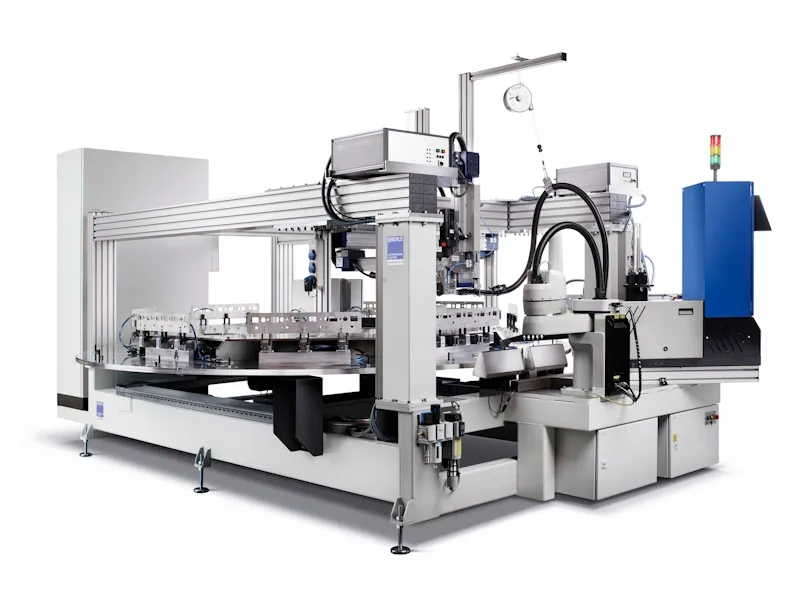
The digital twin
A model that calculates instead of just showing
Think of the digital twin as a machine that exists only in software. In twin it is built from the CAD data of the design. The software calculates weight, forces, friction and impacts instead of merely playing back movements. A workpiece slipping out of the gripper or an undersized drive therefore shows up on screen.
- Available before the build: the model needs no measured data, only the design and the control logic.
- Real signals: the model responds to the same inputs and outputs as the future machine.
- One model, many uses: what is created for the quotation is reused in engineering and later on the operator panel.
Three phases, one twin
Sales
Customers see their plant running before they order. Cycle time, reach and footprint are proven rather than estimated.
Engineering
PLC and robot programs are tested on the model while mechanics and electrics are still being built.
Operation
The same model shows in 3D on the operator panel what is happening on the real machine right now.
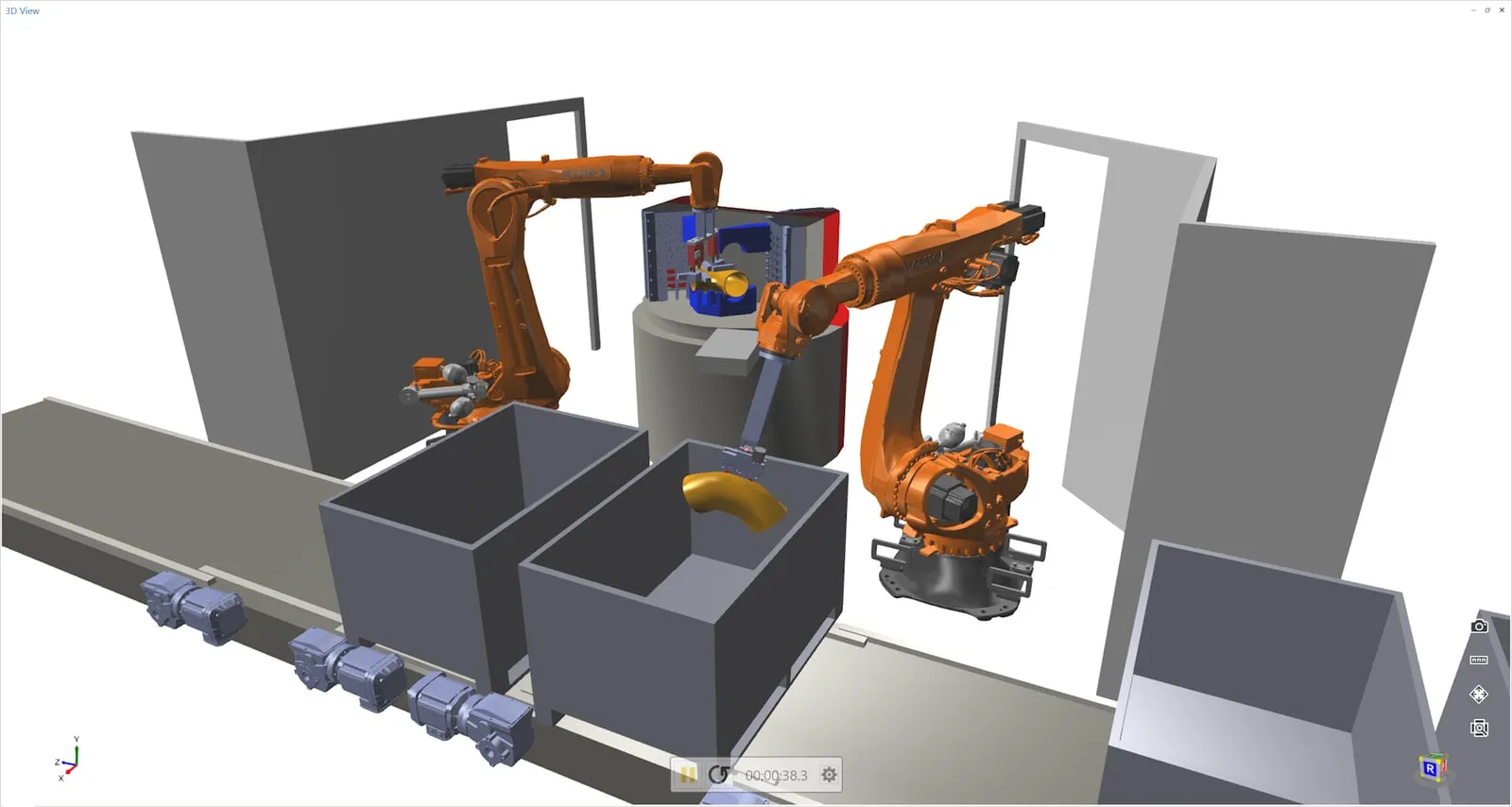
Phase 1: sales
Prove feasibility before the quotation goes out
Whether a plant reaches the required output can be answered with a simulation run instead of an estimate. From CAD data and ready-made building blocks for robots, conveyors and grippers, a first concept takes shape in a few hours.
- Reach: does the robot reach every position, with its real specifications?
- Cycle time: movements, speeds and accelerations are realistic, so the simulated cycle time is reliable.
- Layout: does the plant fit the available floor space and stay accessible?
- Variants: one more station, a different gripper, another cycle: every change shows its effect at once.
Phase 2: engineering
Virtual commissioning with the real program
In conventional commissioning, program errors only appear on the finished machine, usually under time pressure and often far from the factory. twin moves this step to the beginning: the real controller is connected to the model and the program is tested while mechanics and electrics are still being built. twin customers report commissioning times around 40% shorter.
- Hardware-in-the-loop: the real PLC or robot controller drives the model, for example from Siemens (S7, TIA Portal), Beckhoff (TwinCAT), Rockwell/Allen-Bradley, B&R, Codesys, KUKA, ABB, Fanuc, Yaskawa or Universal Robots.
- Software-in-the-loop: the PLC program runs against the simulation without any hardware.
- Robot programs: with virtual robot controllers such as KUKA.OfficeLite, the real robot programs run on the twin.
- Factory acceptance: the factory acceptance test (FAT) can also be prepared on the model.
Collisions on screen, not in the workshop
twin continuously checks whether moving parts touch and colours the affected spot. A wrong travel path then costs a correction in the program, not a damaged tool.
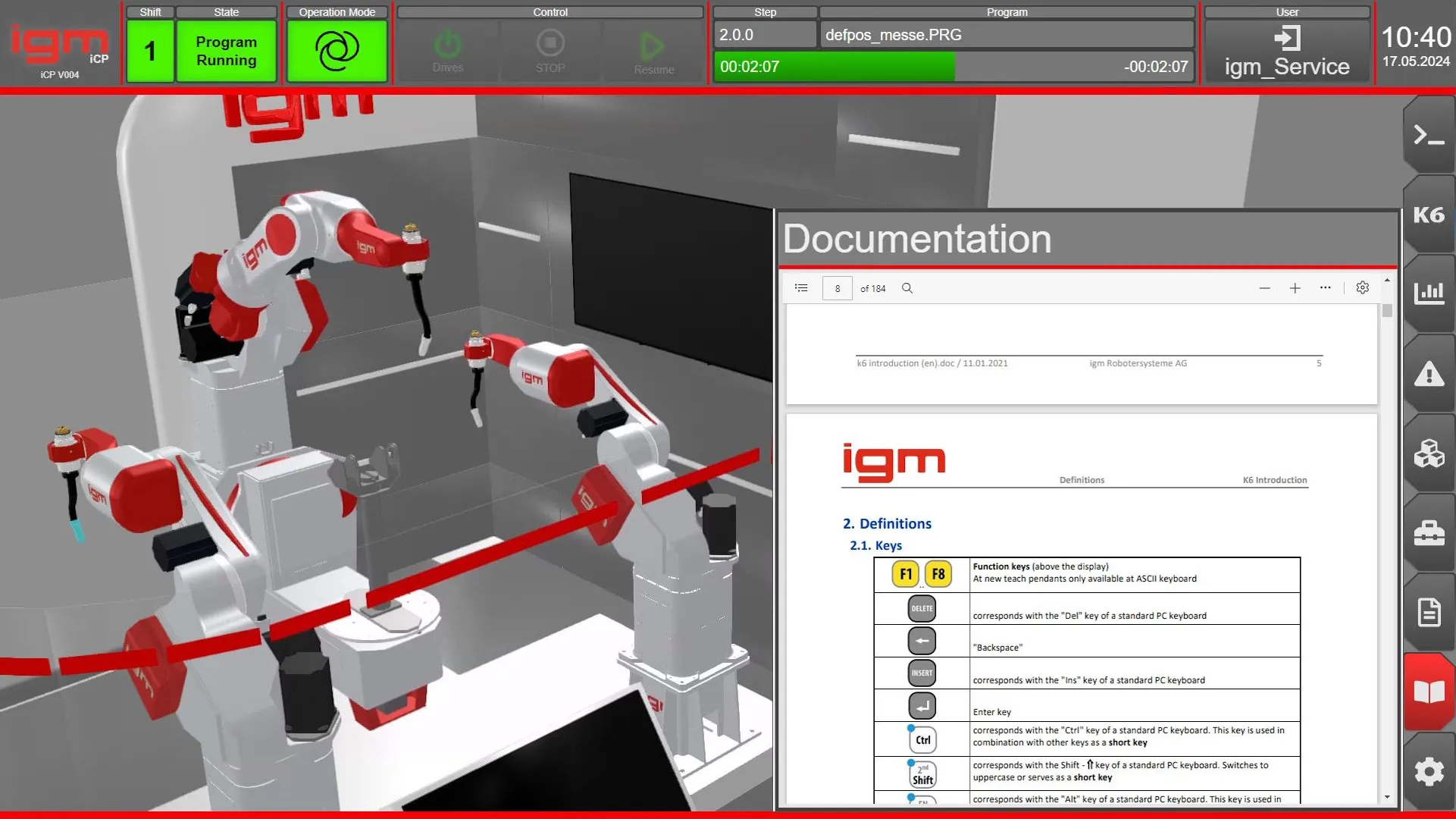
Phase 3: operation
The model moves into the operator panel
After commissioning, the twin becomes the operator interface. With twin Mirror, the 3D model appears directly in the familiar operating system and tracks the axes and sensors of the running machine live. The model does not have to be rebuilt for this.
- Embedded as a web component, e.g. in Siemens WinCC, Beckhoff TwinCAT HMI or B&R mapp View.
- Connected via OPC UA or ADS, extensions via a .NET interface.
- Find faults on the 3D model rather than in flat schematic screens.
- Service technicians can see the state of the plant remotely as well.
What twin offers
CAD import
Load and simplify common CAD formats, no CAD program of your own required.
Component library
Drag sensors, actuators, conveyors and grippers into the model.
Sequences and scripts
Put together sequences graphically and add scripts for special cases.
Robots
Real kinematics and a built-in robot controller for teaching movements.
Controller coupling
Links to PLCs and robot controllers, including setups with thousands of signals.
Physics and API
Realistic physics simulation, extensible through a programming interface.
In practice
twin in use
igm Robotersysteme
The maker of welding robot systems commissions its plants virtually and operates them via a 3D HMI from twin. Result: around 40% less time, roughly 160 working hours per plant.
Full article on digifai.com: igm RobotersystemeK&S Anlagenbau
For production lines feeding 5,500 parts per minute on 32 lanes, K&S uses twin from the concept phase onwards. The goal is complete virtual commissioning.
Full article on digifai.com: K&S Anlagenbau
You will find more examples from robotics, image processing and monitoring under Projects.
Frequently asked questions
What is a digital twin?
The physics-based virtual image of a machine. It is built from CAD data and control logic, responds to the same signals as the real plant and accompanies it from the quotation to operation.
Which machines and industries is twin suitable for?
For special-purpose and series machines and for robot cells, among others in automotive, food, wood processing, plastics, intralogistics and pharma.
Which controllers can be connected?
All common ones, such as Siemens, Beckhoff, Rockwell/Allen-Bradley, B&R, Codesys and robots from KUKA, ABB, Fanuc, Yaskawa and Universal Robots. Further systems can be connected through the programming interface.
Do I need CAD skills or a special computer?
No. twin takes over and simplifies existing CAD data, and models can also be built from the component library. The software runs on current PCs and laptops; a dedicated graphics card is recommended for very large models.
Can I try twin?
Yes. A time-limited full version is available free of charge at digifai.com.
Which licences are there, and how often are updates released?
twin is available to buy or rent, as a single-workstation, user or network licence. A new version is released roughly every two months.
How do I learn twin?
Getting started is usually quick. There are also training courses and webinars as well as personal support.
How does twin relate to the other Eberle products?
Operating data of the plant can be captured and analysed with control. Eberle builds the robot cells designed in twin in its robot automation.
See twin with your own example?
We will show you on a plant from your production what the digital twin can do. Or try twin yourself straight away.