
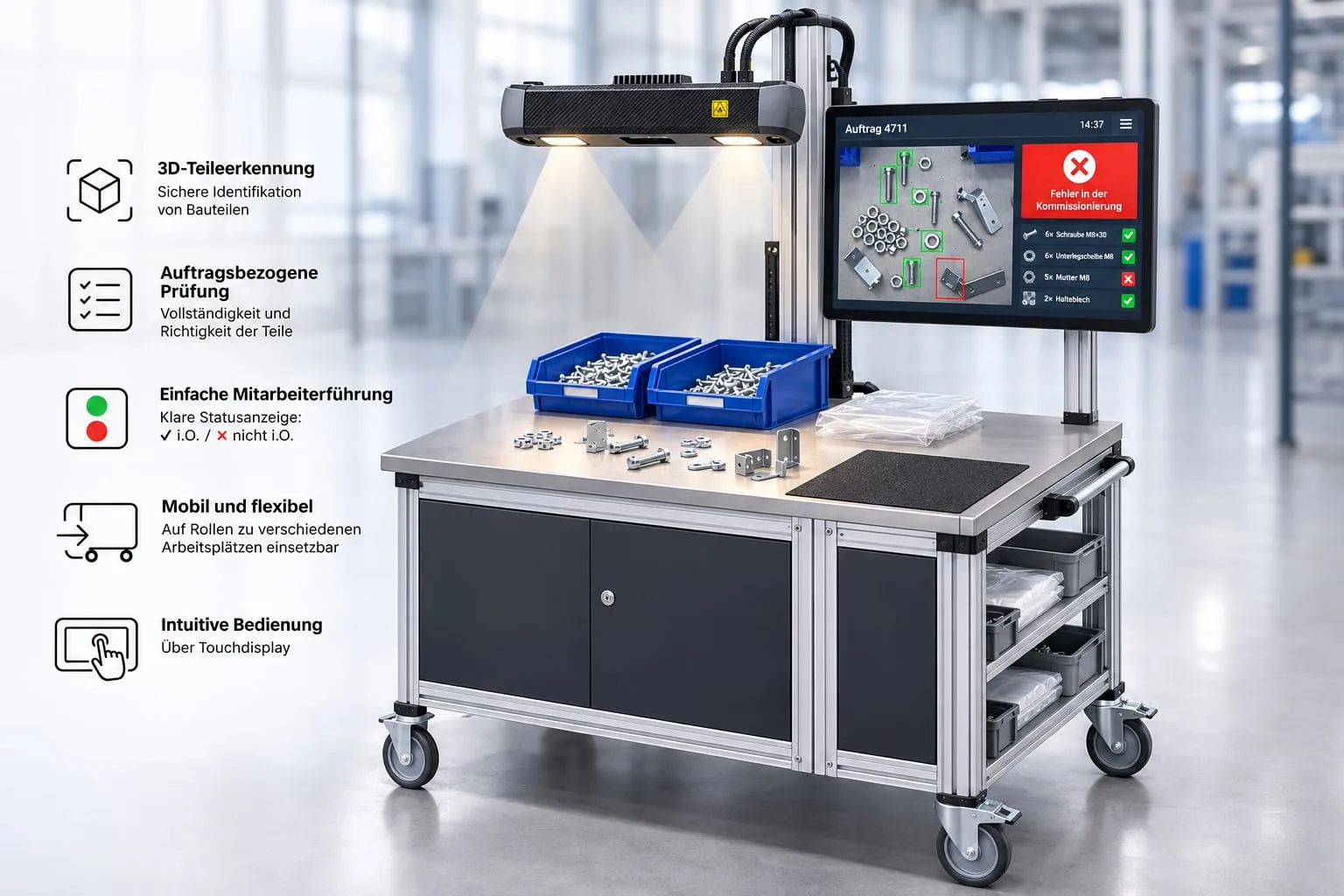
Eberle's 3D picking control automatically checks at manual picking workstations whether the parts provided match the production order: the right item, in the right quantity, complete. A 3D camera captures the parts and compares them with the order data and the 3D models of the items. Errors are detected before the parts go to assembly.
What picking control does
Checking item and quantity
An automatic target/actual comparison detects wrong, missing and surplus parts.
Mobile use
The inspection station is a self-contained unit and is taken to the respective workstation.
Connected to the ERP
Production orders and parts lists come directly from the higher-level ERP system.
How it works
The inspection step by step
- The worker places the picked parts on the inspection surface.
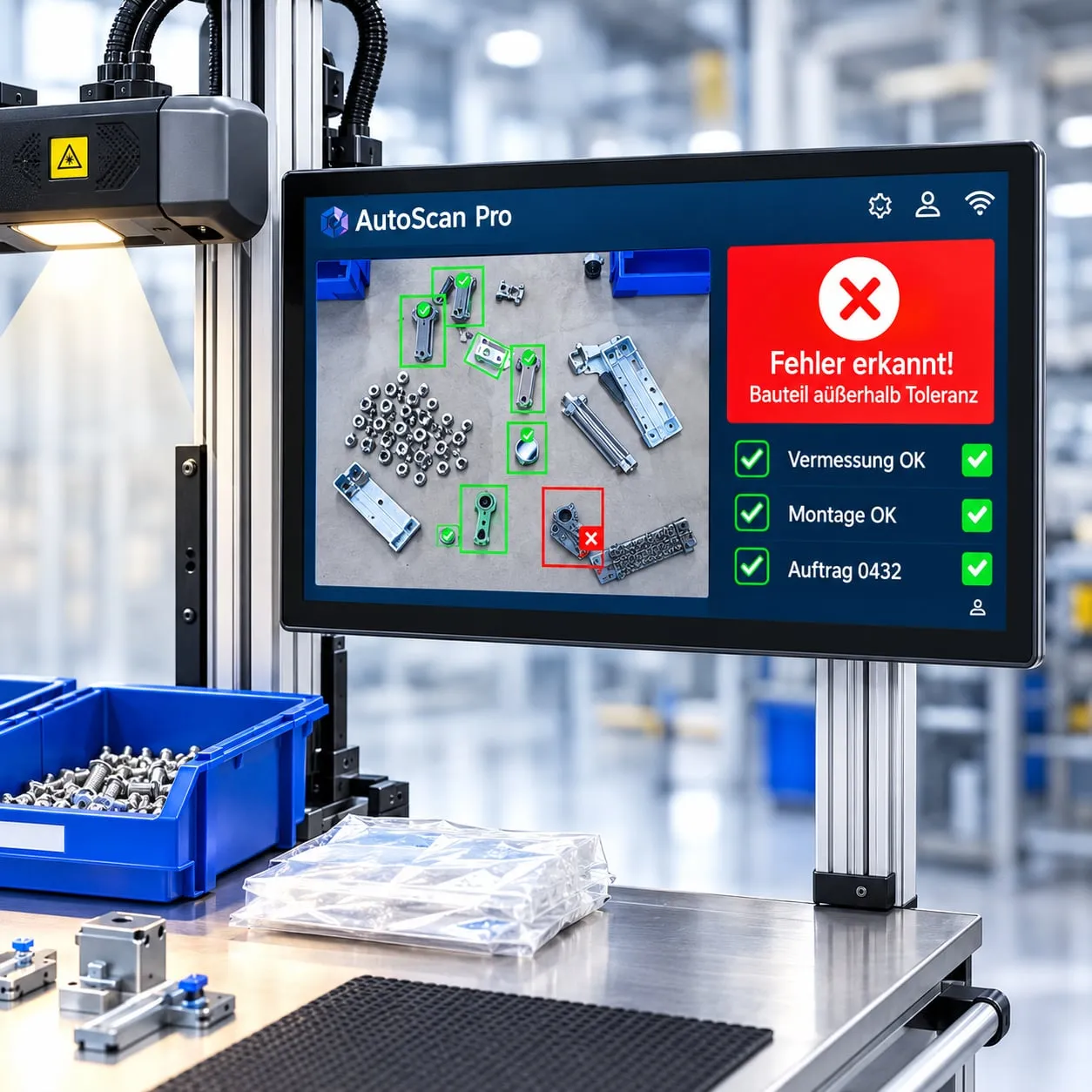
- A 3D camera above the work surface captures the parts provided.
- Using the order data and the 3D part models, the system checks correctness, completeness and quantity.
- The result is shown immediately: green means everything is correct and complete, red means there are wrong, missing or surplus parts.
- If there is a deviation, the touch display shows what is wrong. The worker corrects it and starts a new inspection.
Optional
Checking pre-assembled modules
On request, the station also checks whether pre-assembled modules have been put together according to the 3D reference data. This requires the inspection features to be visible and distinguishable from the outside. We determine together with you, using sample parts, which modules can be inspected.
Central data management
One server, any number of inspection stations
Item and order data are stored centrally on a server that one or more inspection stations access. Each item is assigned its 3D reference model, which is used for part recognition.
- Production orders including parts lists are taken over from the ERP system.
- You set up new items and their 3D data (STEP format) yourself in the item management.
- Further picking workstations can be equipped with additional inspection stations later.
- Several operator clients work in parallel with the same server.
- Optional: production data acquisition and analysis via the control IoT platform.
Frequently asked questions
Which parts can be inspected?
That depends on geometry, surface and visibility for the 3D camera. Concealed parts and features that are not visible cannot be inspected. We clarify suitability in advance using representative sample parts.
How does the system know the order?
Production orders, parts lists and target quantities come from your ERP system via an interface. Each item is assigned a 3D model that is used to recognise the parts.
Can I add new items myself?
Yes. You set up new items and their 3D data for inspection yourself in the item management.
Does the station work at several workstations?
Yes. The station is mobile and is taken to the respective workstation. Further workstations can be equipped with additional inspection stations that access the same server.
What is needed on our side?
A server or virtual machine for the central server module, an ERP interface, stable Wi-Fi at the places of use, 230 V connections and remote maintenance access. We agree the exact requirements with you during the project.
Make picking reliable?
Together with you, we check using your parts how picking control can be used in your company.